
 There may be occasions when you need to import data to or export data from your database. IDS helps
you easily accomplish both these tasks.
There may be occasions when you need to import data to or export data from your database. IDS helps
you easily accomplish both these tasks.Importing Data Data comes in many different formats. You may have CSV files, TXT files, access databases, Excel files or a myriad of other formats. IDS can be customized to handle any of these formats allowing you to integrate your various data sources into one single database. Sometimes you even want data to be imported automatically on a set schedule - IDS can do that for you as well! Once imported you can report upon that data, or integrate it with existing data. 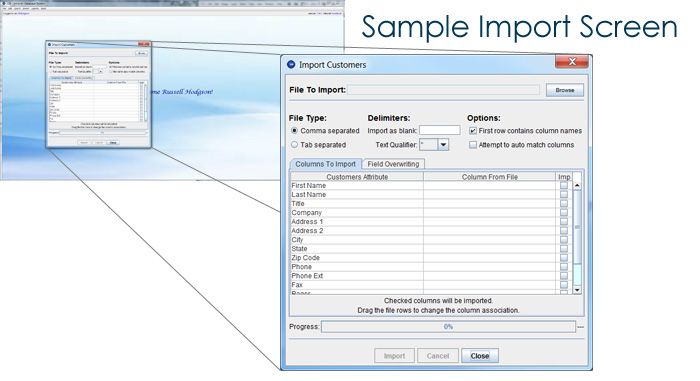 Exporting Data Exporting data to CSV, TXT or Excel files is an important feature of any data management system. Your IDS system can include this export functionality into either your data search screens, your reporting screens, or specific export screens, allowing you to exactly the data in which you are interested. Once you have specified which data records should be exported, the export screen will then allow you to further define which part of each data record is exported by allowing you to check off the columns contained within your database that should be exported. For more information on how your website, your company, and your customers can benefit from IDS integration, please email us at info@zbluesoftware.com or call us at (203) 202-2121. Download the IDS Demo. |
Why IDS?
Features
Demo / PowerPoint
Technical
|


